Features
Static caching, built-in SEO and GEO, a block editor, an AI assistant and security: every feature of Éclair, the fast CMS that needs no database.
Contents
Éclair is a fast CMS that packs everything a professional website needs into a 402 KB archive: speed, search rankings, visibility in AI answers, comfortable editing and security. There are no plugins to hunt down, install or update: everything is built in, preconfigured and documented.
Éclair by the numbers
17
blocks in the editor, from FAQ to contact form
30
AI bots managed in one click in robots.txt
7
languages for the admin, 6 for the public site
299
automated checks in Éclair’s test suite
What makes Éclair a fast CMS?
A simple principle: a page that has already been generated is never rebuilt, which makes Éclair a fast CMS even on modest hosting. Éclair saves every public page to a static cache, then index.php serves it directly, without loading the application or reading a single piece of content. The cache clears itself whenever you change something, and at the scheduled time for a scheduled post.
- CSS inlined in the page (about 12 KB minified for the default theme) and system fonts: no render-blocking requests, no layout shift.
- Images optimized on upload: resized to 2000 px max, available as responsive WebP (480, 800, 1200 and 1600 px), with explicit dimensions and lazy loading.
- A single public script, deferred: 1.2 KB compressed.
- ETag and 304 responses, Brotli or Gzip compression and one-year browser caching for static files, through the included
.htaccess.
100
out of 100 on Lighthouse for performance, accessibility, best practices and SEO
0.7 ms
server response time for a cached page, measured locally
7 to 10 KB
of compressed HTML per page, CSS included
1.2 KB
of JavaScript on the public site
Which SEO tools are built in?
Everything WordPress SEO plugins offer, with nothing to install. The details are in the SEO documentation.
- Real-time analysis in the editor, with a score out of 100: title and meta description length, keyphrase (title, URL, introduction, subheadings, density), word count, structure, alt text, internal links, featured image.
- Live Google preview and character counters for the title and description.
- JSON-LD structured data: WebSite, Organization, Person or LocalBusiness, WebPage, AboutPage, ContactPage, BlogPosting, BreadcrumbList, FAQPage, ProfilePage.
- XML sitemap with images and
hreflang, robots.txt, a full RSS feed, Open Graph and Twitter Cards with a 1200 × 630 share image generated automatically. - Automatic 301 redirects when a URL changes, plus a redirect manager to take over an old site.
- One URL per piece of content: redirects for HTTPS, www or non-www, trailing slashes, uppercase and
index.php. - IndexNow: Bing, Yandex, Seznam and other compatible engines are notified every time you publish.
How does Éclair help you get cited by AI?
GEO (Generative Engine Optimization) means making your site easy for ChatGPT, Perplexity, Gemini, Claude or Copilot to read and cite. Éclair automatically publishes what these engines know how to use.
/llms.txtand/llms-full.txt, following the llmstxt.org proposal: your site’s map for AI.- A Markdown version of every page: add
.mdto any URL (it stays out of Google thanks tonoindexand the canonical URL). - A one-click AI bot policy: open, citations only (answer engines allowed, training refused) or closed.
- The “Key takeaways” block at the top of each article, the summary AI likes to quote.
- A GEO score: FAQ, question-style subheadings, concrete figures, sources, identified author, short paragraphs, freshness.
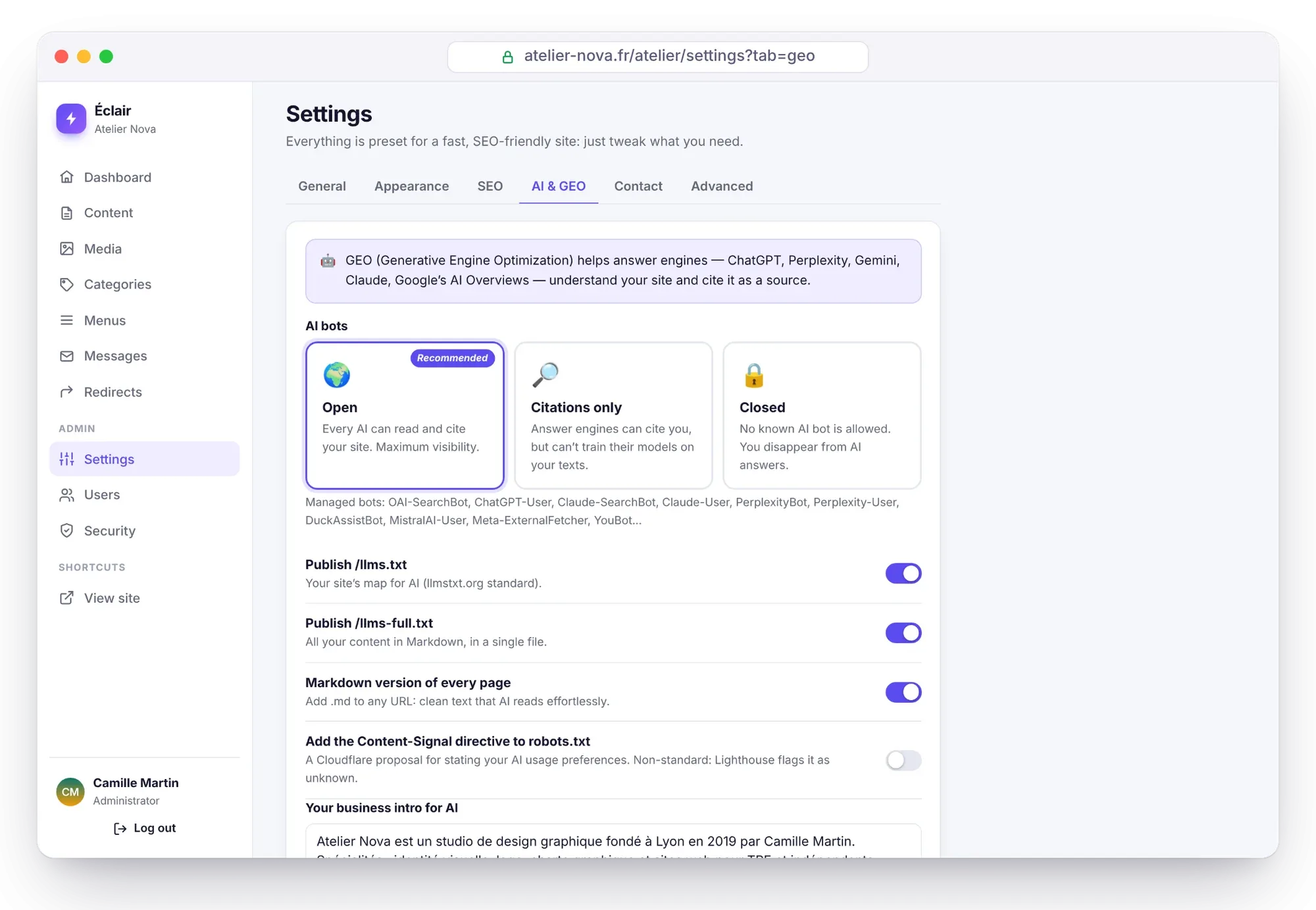
To dig deeper: the GEO documentation and our guide to getting cited by ChatGPT.
What is the editor like?
It’s a block editor designed to help you write quickly and well: type / on an empty line to choose from the 17 blocks (text, subheading, list, quote, image, callout, FAQ, table, button, video, code, separator, banner, features, team, latest posts, contact form).
- Assisted internal links: as you type a link, the editor suggests your pages and posts.
- Smart paste from Word, Google Docs or a web page: headings, lists, tables and bold text become clean blocks.
- Nothing gets lost:
Ctrl+Sto save, a local backup draft if the connection drops, and a history of the last 20 versions. - Real preview before publishing and scheduled publishing in your site’s time zone.
- Cookie-free YouTube and Vimeo videos until the visitor clicks.
All the details, shortcuts included: the block editor.
What does the AI assistant do?
It writes drafts, improves your texts and creates images in your site’s voice, with Claude (Anthropic) or ChatGPT (OpenAI) and your own API key. There’s no subscription: you pay the provider for what you actually use, about $0.24 per full post with Claude Opus 5.5. The assistant prepares, and only you publish: it can’t publish, delete or touch the settings.
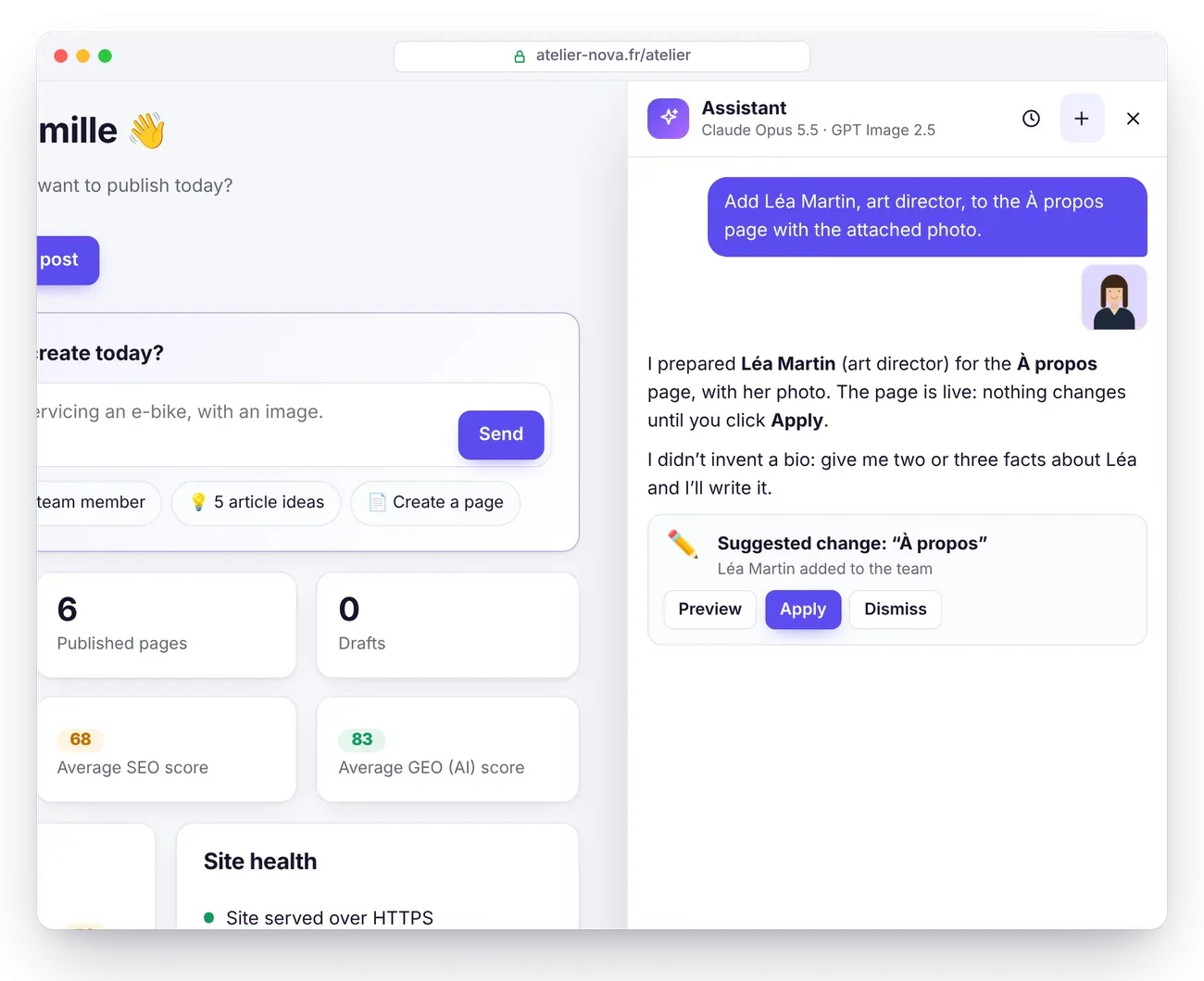
5-minute setup and detailed costs: the AI assistant.
Which protections are on by default?
All of them, with nothing to configure. Éclair went through an offensive security review: 17 vulnerabilities were found and all of them fixed, then the 13 attack scenarios were replayed against the fixed version.
| Threat | Éclair’s protection |
|---|---|
| SQL injection | No database |
| Password theft | Argon2id, two-factor authentication and recovery codes |
| Brute force | Limits per network and per account, your usual device never locked out |
| XSS vulnerability | Allowlist-based content sanitizing, strict Content-Security-Policy |
| Booby-trapped file | Re-encoded images, SVGs refused, no executable scripts in /media |
| File modified behind your back | Integrity check of every file |
Full details: Éclair’s security.
What about the rest of the site?
- Media library: drag and drop, alt text, detection of images in use.
- Drag-and-drop menus for the header and footer.
- “Pillar” categories to organize your blog as a topic cluster.
- Site search, weighted (title, summary, text).
- Spam-proof contact form without a captcha: honeypot field, token, 5 messages per network every 10 minutes and 100 per day for the whole site, with an inbox in the admin.
- Administrator and editor accounts.
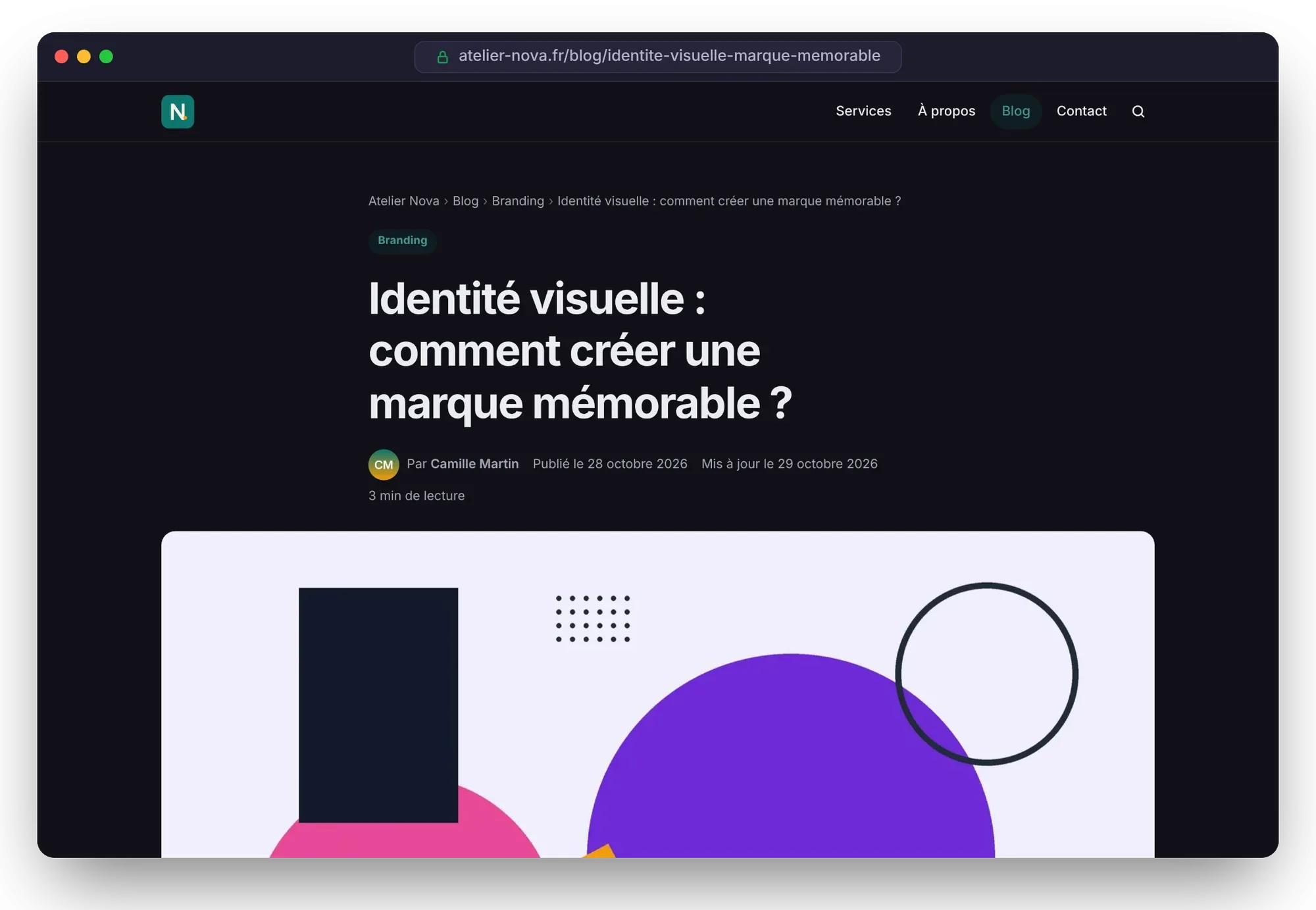
- Appearance: main color with guaranteed WCAG contrast, eight system font styles, logo, icon and automatic dark mode.
- Multilingual: admin in 7 languages (French, English, Spanish, German, Italian, Portuguese, Chinese), public site in 6 languages, with linked translations and
hreflangtags.
What doesn’t Éclair do?
Better to know before you choose. Éclair deliberately focuses on business websites, blogs, portfolios and sales pages.
- No online store: no cart, no payments, no inventory management.
- No plugins: a deliberate choice, for speed and security. The theme, on the other hand, can be customized.
- No member area and no visitor registration.
- No automatic WordPress importer: you migrate with smart paste and redirects, step-by-step method here.
If your project needs any of these, WordPress or a specialized tool will be a better fit: our Éclair vs WordPress comparison helps you decide.
Questions about the features
Do I need plugins for SEO or caching?
No. Static caching, SEO, GEO, the sitemap, redirects, the contact form and backups are built into Éclair and active as soon as it’s installed.
Does Éclair work without JavaScript for visitors?
Yes. The public site uses just one 1.2 KB script, deferred, for the contact form, videos and the “Edit” button shown to logged-in users. Pages display fully without it.
Can I build a multilingual site?
Yes. Each piece of content has its own language (French, Spanish, English, German, Italian or Portuguese) and you link its translations together: Éclair adds the hreflang tags and a “Read in…” link to the page.
Can I customize the design?
Yes: color, fonts, logo and dark mode are set in Settings › Appearance, and developers can edit the theme (PHP templates and CSS). This very site, eclaircms.org, uses a custom theme.